Which Webcam Upgrades Help in a Dim Room?
For evening calls, a camera you can position well and a softer light usually matter more than the largest resolution printed on the box.
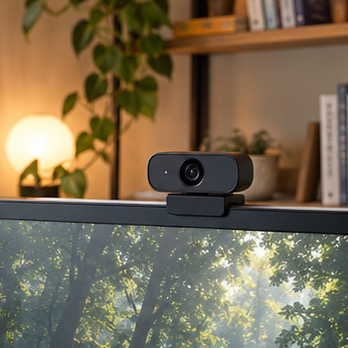
On an evening call, the kitchen behind you looks bright while your face falls into shadow. The laptop camera sits low, the overhead light catches the top of your glasses, and a bigger resolution number starts to sound like an easy fix.
Open your meeting app’s preview first. Face toward a lamp or a window, raise the camera closer to eye level, and look for the brightest object in the frame. If the existing camera improves after those changes, spend your first dollars on whatever makes that setup easy to repeat.
Choose a frame you can use daily
An external webcam earns its place when you can keep it at eye level even with the laptop on a stand or connected to an external display. A mount that swivels and tilts helps if you sit off-center. For a narrow desk, look for a field of view that shows your head and shoulders without including the entire room.
A wider view is useful for two people on a call or if you show objects on the desk. Software cropping can help with solo calls, so check whether the controls are supported on your system and remain set when you restart.
Buy a lamp for shadows and a camera for placement
Position a soft lamp a little to one side and check the preview at night. Moving it can reduce reflections in glasses and improve the picture with the camera you already own. A dimmable lamp is easier to adjust than a light with a fixed output, especially close to your face.
Pay more for a webcam if the mount solves a real placement problem or the exposure controls recover the scene you need. A privacy shutter is convenient on a shared desk. Check whether the cable can reach the laptop or dock without tugging on the monitor clip.
Try the real meeting app
The camera utility’s preview and your meeting app can display different results. Some calls use lower quality when network conditions change. Try an ordinary call using the room lighting you typically have, including any background blur you keep on.
Open a document during that trial to see how much the lamp reflects on the monitor. Ask a colleague or friend if you are easy to see. That answer is useful when deciding whether a camera upgrade has improved the work you actually do.
Related guides
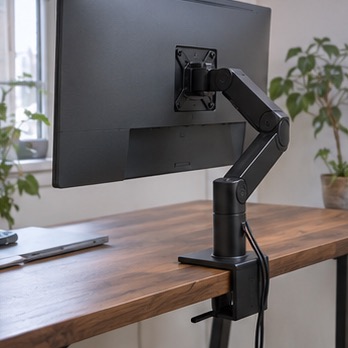
Will a Monitor Arm Give You More Desk Space?
A good arm frees the surface below the display. The clamp, screen weight, and space behind the desk tell you whether it will work.
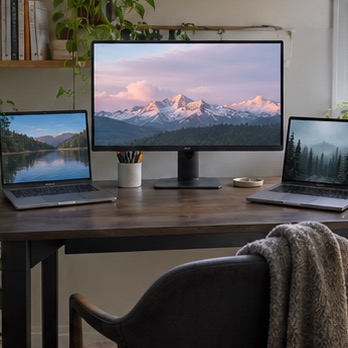
Sharing One Monitor Between a Work Laptop and a Home Laptop
You can keep two computers on one desk with a video input toggle, a USB switch, or a full KVM. The right choice depends on what you swap.
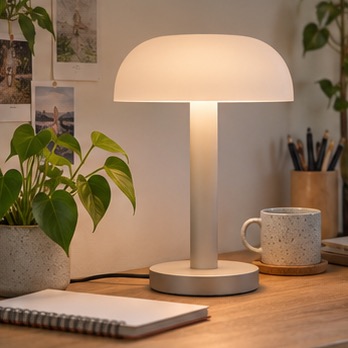
One Desk Lamp for Evening Work and Video Calls
A lamp for both paper and calls needs to reach two different spots. Adjustability and a soft shade are worth checking in person.